
Alerts, Monitoring & Notification Scopes
Release 12.0 introduces a unified notification system that covers both user-defined pipeline alerts and platform-managed health monitoring. Notifications can now be dispatched across multiple channels and routed through scoped subscriptions and recipient lists.
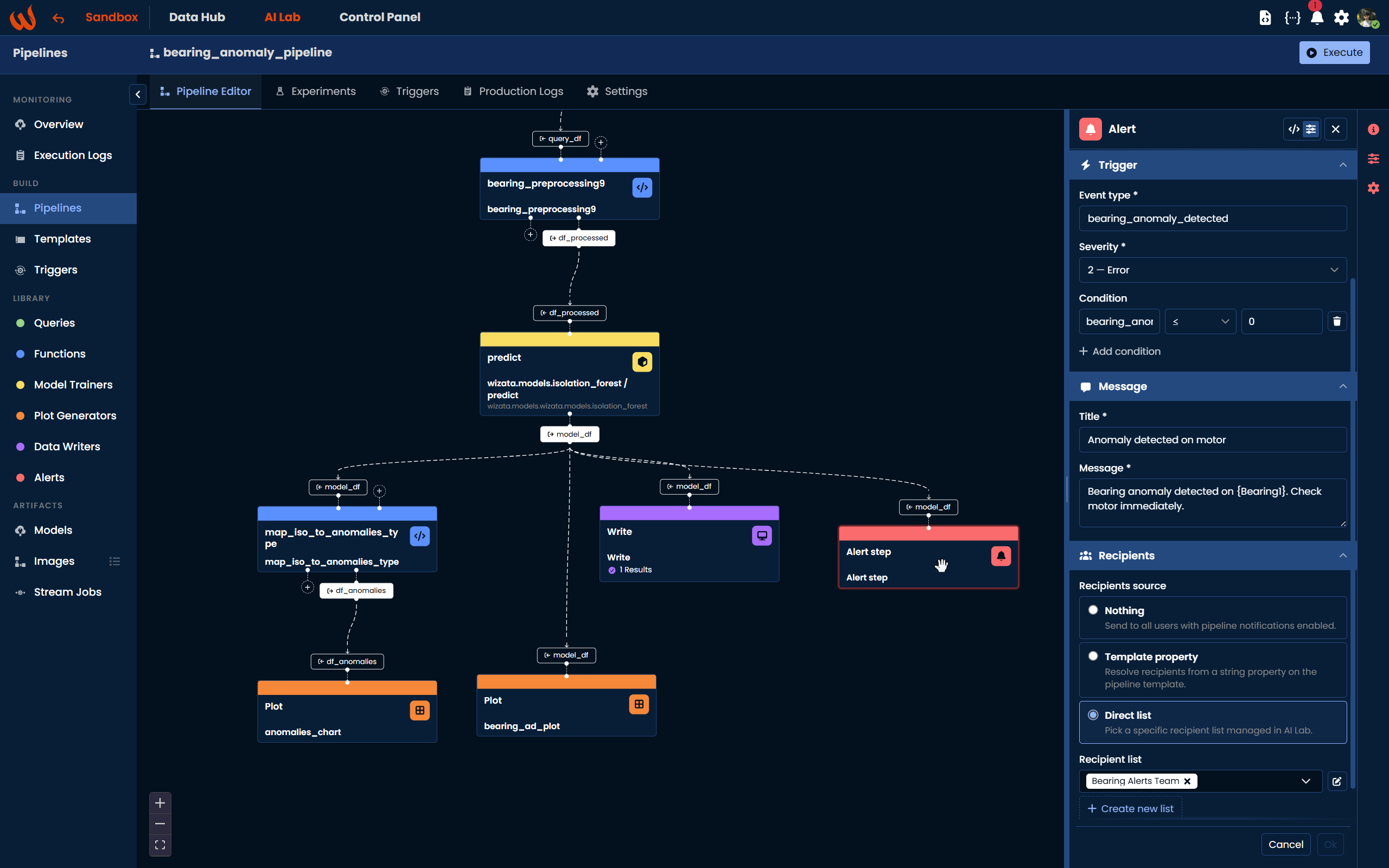
Alert step in pipelines
A new ALERT step type is available in the Pipeline UI. Two modes are supported:
- Declarative — define a condition over the input dataframe, with placeholders resolved into the alert title and message at execution time
- Script — delegate the evaluation to an existing script, keeping full control over the logic
Each alert exposes an event type, a severity (1–7), an activation threshold and an expiration cycle count, so repeated triggers can be batched into a single notification episode with automatic expiry.
Notification Rules & Actives
Alert rules are now stored as first-class entities, with per-pipeline lifecycle synchronization on create, update and delete. Active alert episodes are tracked separately, with occurrence counts, anti-spam protection and automatic expiry once the configured number of cycles has elapsed without a re-trigger.
Multi-channel dispatch
Notifications can be sent through any combination of:
- Push — delivered through the Wizata mobile app and the web app
- Email — sent to a recipient email address
- SMS and WhatsApp — sent to a recipient phone number
- Slack and Teams — posted to a configured channel (possible only on scripted alerts)
All channel clients are centralized in the python notifications package and exposed through a single dispatcher.
Recipient lists & user preferences
- Recipient lists group internal users (resolved against the platform user directory) and free-form addresses (explicit email / phone). Each list can be reused across multiple alerts.
- Notification preferences let each user enable or disable push, email, SMS and WhatsApp individually from the web app. Slack and Teams remain platform-level channels.
System monitoring
A new monitoring job runs alongside pipelines to surface platform-side incidents:
- Pipeline monitor — detects pipelines that have stopped producing executions
- Edge monitor — detects edge devices that have lost connectivity
- Notification expiry — closes alert episodes whose expiration window has been reached
Datapoints and pipelines can be flagged as monitored directly from the web app.
Notification scopes
Subscriptions are organized into three scopes, so each device or recipient receives only the notifications it cares about:
- PIPELINE_USER — alerts triggered by an ALERT step in a pipeline
- PIPELINE_MONITOR — system alerts on pipeline health
- EDGE_MONITOR — system alerts on edge connectivity
Learn more
For the full setup guide — including rule configuration, recipient lists and channel credentials — see the dedicated documentation: learn more about alert in pipelines.