
New Pipeline Image Management
Starting from v11.4, you can now build, browse, and manage Pipeline Images directly from the UI — both at the pipeline level and across all your pipelines from a dedicated global view.
A pipeline image is a downloadable package that encapsulates every step that might be composed inside a specific pipeline, such as scripts, trained models and the pipeline JSON file itself. This comprehensive bundle ensures that all necessary components are included for seamless execution.
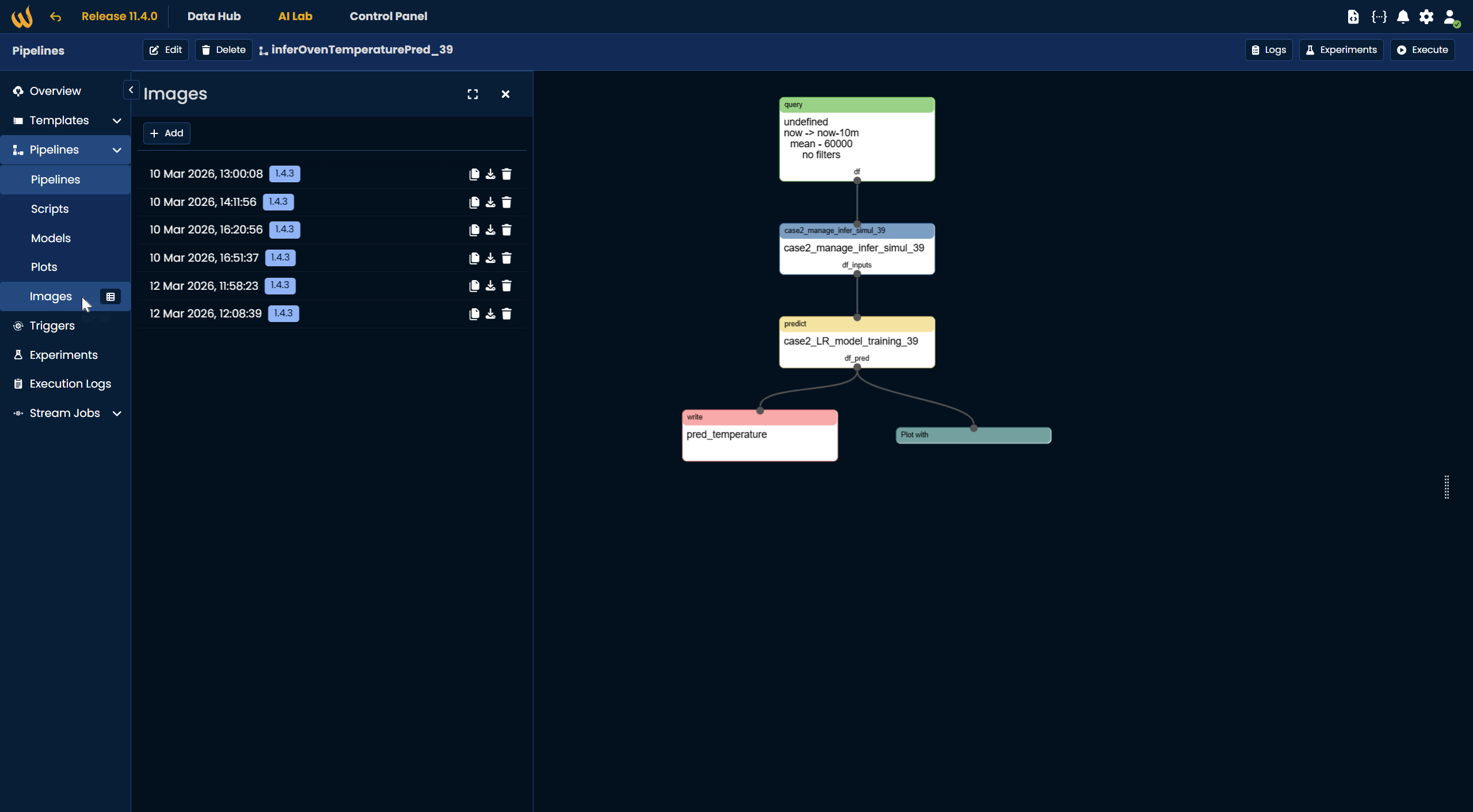
Pipeline-level Image Panel
From any pipeline in AI Lab, you can now open the Images panel to:
- Build a new image directly from the current pipeline version
- Browse previously generated images with their date and version tag
- Copy, download, or delete any existing image
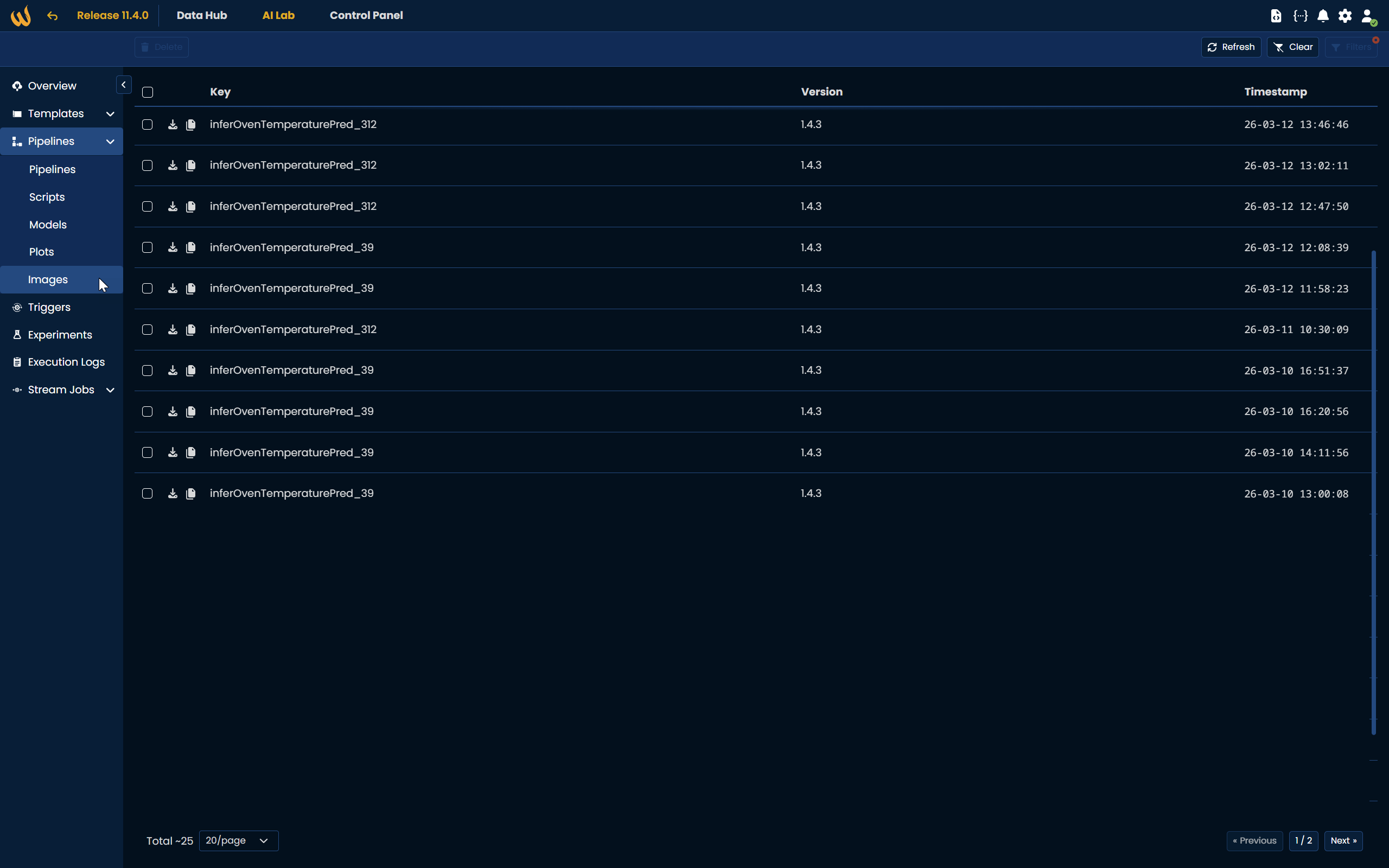
Global Images View
A new Images page under AI Lab → Pipelines gives you a unified view of all images across every pipeline in your environment. From here you can filter, sort, and manage images at scale — with full visibility into the pipeline key, version, and timestamp for each entry.
Action required after environment update
If you are using Pipeline Images on Edge devices, you must generate a new image for each affected pipeline after upgrading to v11.4. Existing images built on previous versions are not compatible with the new format and will not execute correctly.
For more information, check our documentation on Pipeline Images.