
Added
New Pipeline UI
May 26th, 2026
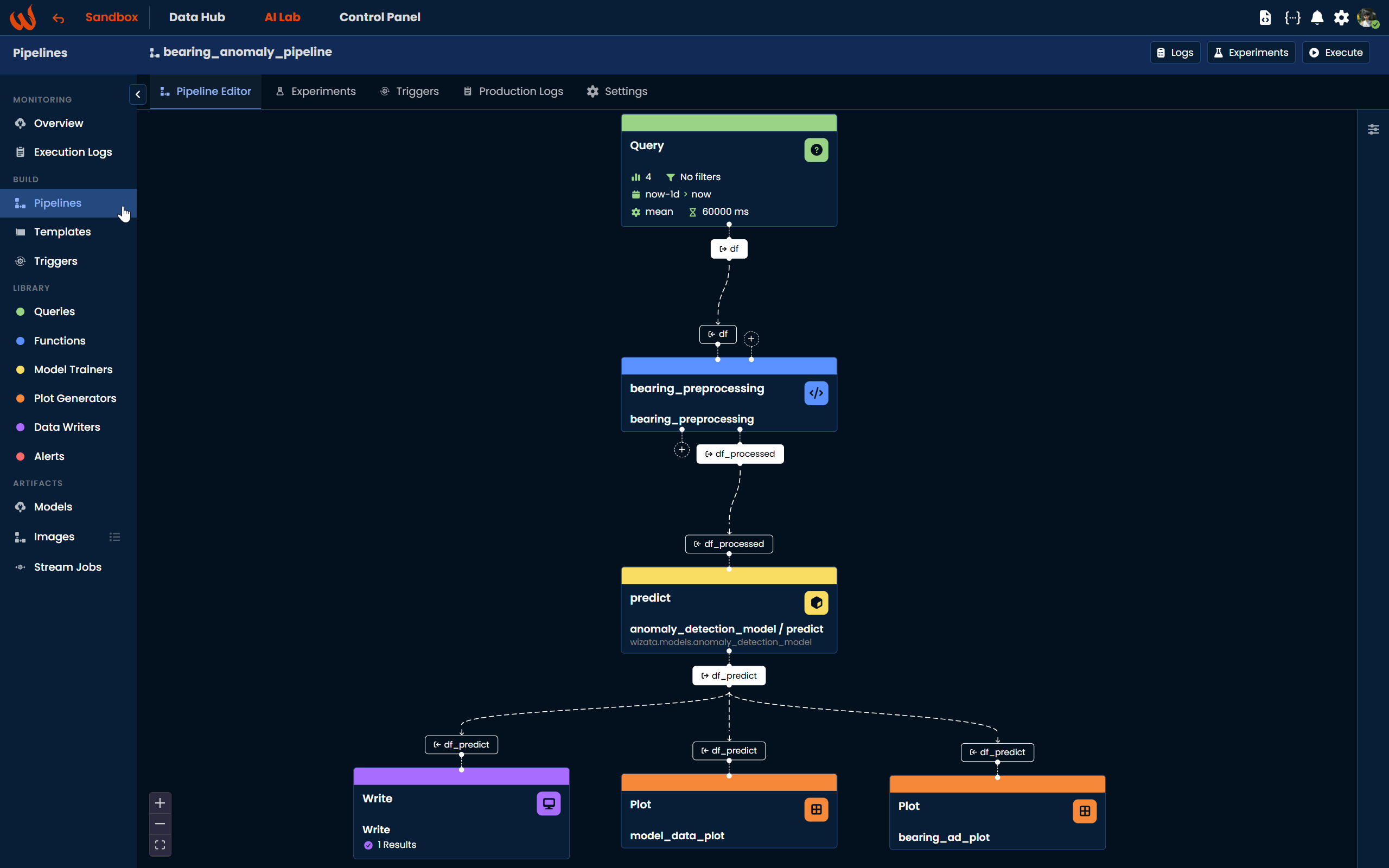
Release 12.0 introduces a fully redesigned editor for building, configuring and running pipelines from the Control Panel. The new UI replaces the previous JSON-driven flow with a visual graph editor
that exposes every step type as a configurable block.
What's new
- Visual graph editor — pipelines are now built by dropping and connecting blocks on a canvas, one per step type
- Pipeline-level Global Save — a single save action commits the full pipeline (steps, configs, IO, connections) in one operation, replacing the per-block save model
- Input / Output objects — pipelines expose typed I/O objects that can be wired between blocks, making data flow explicit between steps
- Redesigned Script block — image-block style UI with drag & drop, and an updated script picker covering Built-in, Package, Embedded and Uploaded scripts
- Raw script creation — create and edit embedded scripts directly from the block
- New Alert block — declarative alert configuration (event type, severity, thresholds, recipients) integrated directly in the graph
Learn more
For a step-by-step guide on building a pipeline with the new editor, see the dedicated documentation on Pipeline