
Pipeline
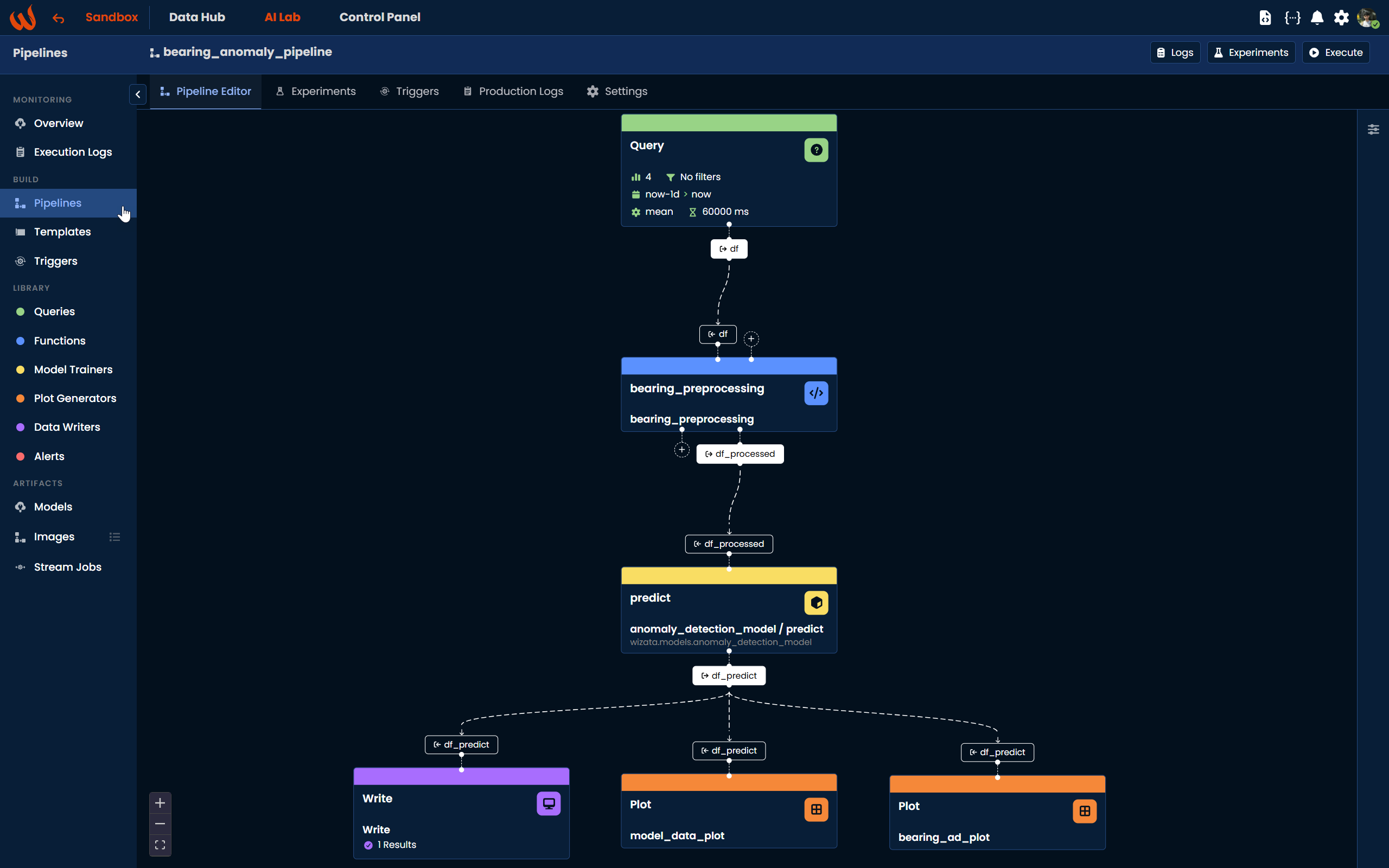
A Pipeline is a set of pre-defined and re-usable actions called steps that can be executed manually or automatically. Pipeline might be composed of various steps such as queries, transformation, machine learning model training or inference logic, and more.
Pipelines can serve many different purposes: executing a function to calculate a datapoint from others, training a machine learning solution, predicting asset behavior, forecasting trends, triggering alerts, and more.
A pipeline can be defined through the Pipeline UI or using Python with the DSAPI. Internally, a pipeline is stored as a JSON file.
The lifecycle is the same whichever way you build one: build it, try it with an experiment, publish it so it becomes the official version, and deploy it to put it on a schedule. When a git repository is connected, building and trying happen on a draft that leaves production untouched — see Drafts and publishing.
For a practical, end-to-end walkthrough of all the concepts covered in this section, we recommend following the Tutorial: Anomaly Detection Solution alongside the documentation. The tutorial covers the full pipeline creation process step by step, both from the Pipeline UI and using the Python Toolkit.
Steps
Pipelines are composed of different elements called steps. Each Step defines a sub-task within the pipeline, and the step logic is re-usable across pipelines and while still allowing its own configuration within each specific pipeline. For example, you can define a linear regression training script using a coefficient that is specified independently for each pipeline that uses it.
Starting from v12.0, steps can be configured visually using the Pipeline Editor, a block-based canvas where you can drag, drop, and connect blocks to compose your pipeline logic. Steps can also be defined programmatically using Python.
Available step types include: Query, Script, Model, Write, and Plot. Each step type can use pre-defined built-in logic from the Wizata library or custom scripts developed by your team.
Templates
A pipeline can be based on a Template or not. When a pipeline uses a template, it defines a common behavior across multiple similar assets or processes. For example, you can define a pipeline that trains an anomaly detection model on motors and reuse it for each motor defined in your Digital Twin, without having to duplicate the pipeline for each asset.
Execution
Once a request to execute a pipeline is submitted, it produces an Execution. A Pipeline can be executed in two different modes:
- Experiment : used to test and iterate on your pipeline. This mode minimizes resource impact and is intended for model training, validation, and plot generation, using different Runners
- Production : uses dedicated Runners to execute your pipeline with optimal resources. In this mode, the model step runs inference on a pre-trained model and the write step stores the results in the platform.
In most cases, you should run the pipeline in Experiment mode first to train the model and verify the results, then switch to Production mode for real-time execution.
Updated about 2 months ago