
Drafts and publishing
Change a pipeline without changing what runs in production.
A pipeline that runs in production is a pipeline you cannot freely experiment on. When a git repository is connected to your tenant, you do not have to choose: the version that runs stays untouched while you work on a copy, and you decide when your changes take over.
This page covers that from the AI Lab. The branch layout it creates in the repository — and what it looks like to someone reading the repository rather than the platform — is described in How Wizata uses branches.
No git repository connected? Then none of this appears. There is no branch selector in the pipeline header, and every save updates the pipeline directly, exactly as it did before. See Git integration if you want to enable it — it is a licensed option, available on demand for Professional and Enterprise plans (Licensing).
The branch selector
With git connected, the pipeline header gains a selector showing which version you are looking at and what kind of version it is. Opening it lists everything available for that pipeline.
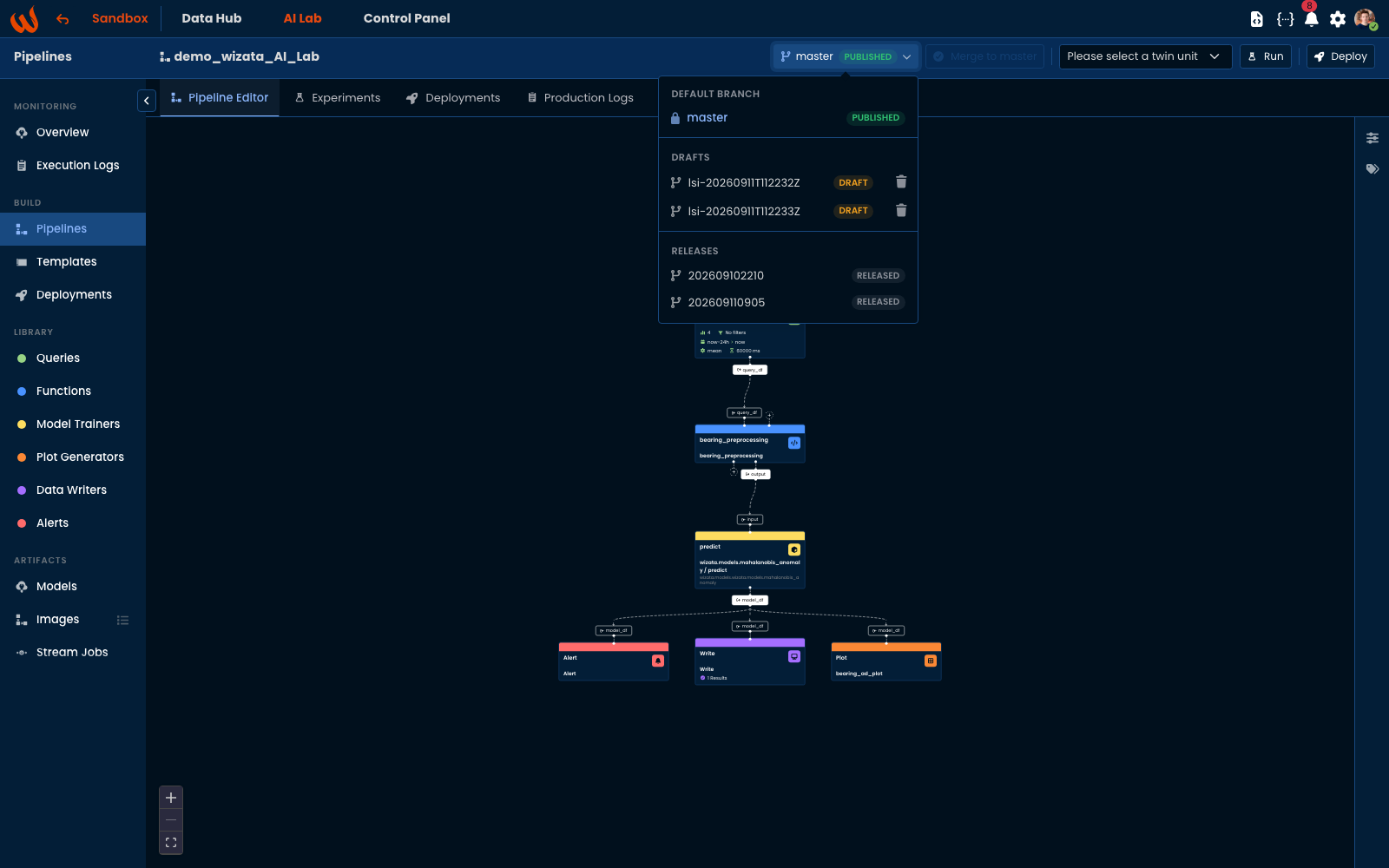
Three kinds, and the badge on each row tells you what you are allowed to do with it:
| Badge | What it is | Editable |
|---|---|---|
| PUBLISHED | The official version. Everyone sees it, and schedules can be built from it. There is exactly one, on the repository's default branch. | Yes |
| DRAFT | Your working copy. Nobody else sees it until you merge. A pipeline can have several at once. | Yes |
| RELEASED | Frozen. Production runs point here. To change it, switch back to the published version. | No |
The menu shows short names — lsi-20260911T112232Z, 202609110905 — because the full reference is long and repeats the pipeline key. Hover a row to see the ref as it exists in the repository, such as feature/demo_wizata_AI_Lab/lsi-20260911T112232Z.
Working on a draft
You do not create a draft by hand. Start editing a published pipeline and Wizata opens one for you, branching from the current published version and naming it after you and the moment you started — which is why drafts sort chronologically and you can tell whose is whose.
From then on:
- The published version keeps running. Schedules, triggers and deployments are unaffected by anything you do on the draft.
- Each save is a commit. The draft's history shows how it evolved, with the author of every step. Saving without changing anything does not create an empty commit.
- Nobody else sees it. A draft is visible in the branch menu, but nothing runs from it unless you ask.
Switch between versions at any time from the selector. The editor reloads the pipeline as it stands on whichever one you choose, so it is safe to look at the published version mid-draft and come back.
Publishing
Merge to master — beside the selector — is how a draft becomes the official version. It is greyed out while you are on the published version, which is what its tooltip says: you're on master, nothing to merge. Select a draft and it becomes available.
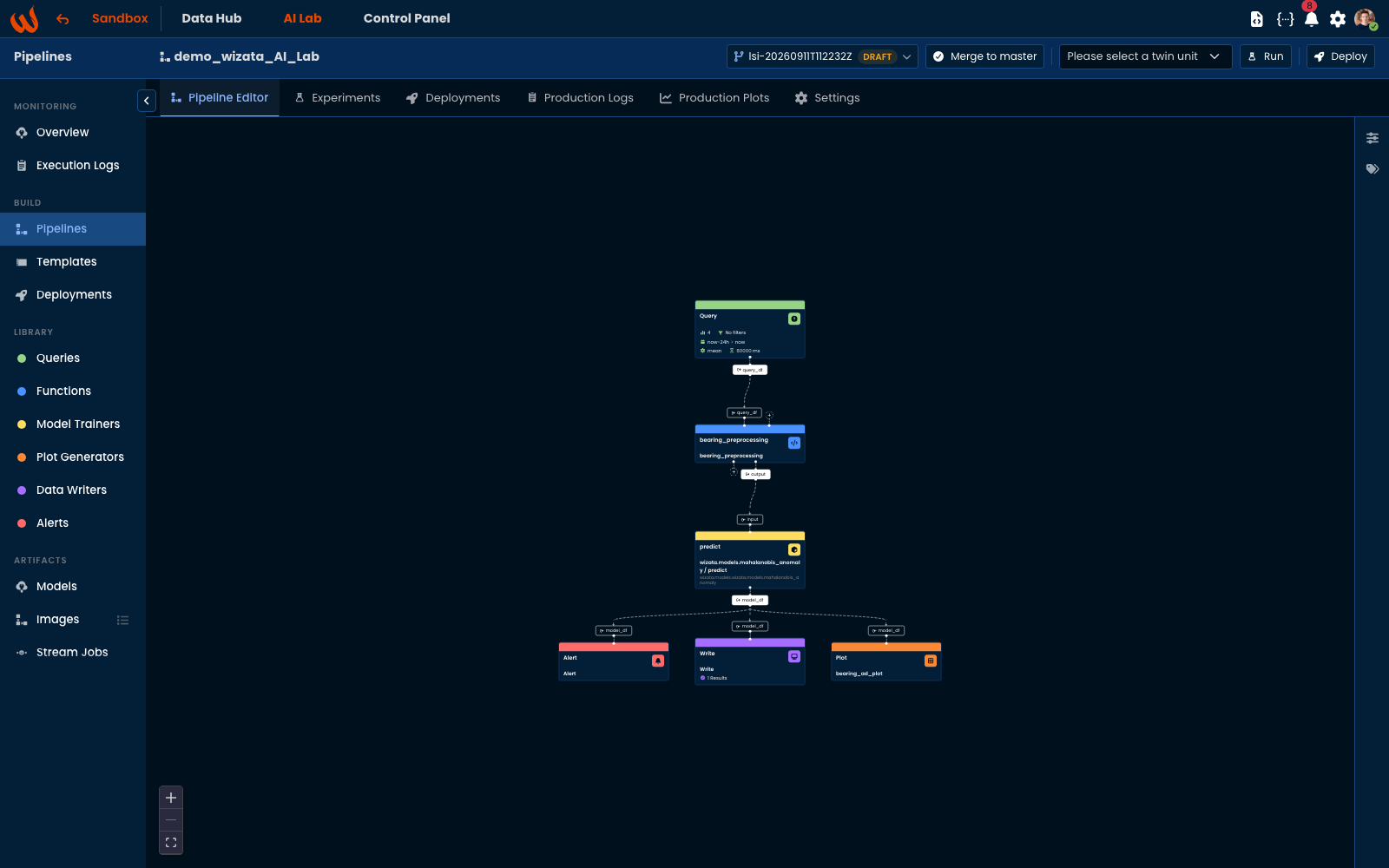
Publishing merges the draft into the published version and deletes the draft. From that moment, the pipeline runs from what you just published.
If someone else changed the same pipeline while you were drafting, Wizata merges the two. When the changes genuinely conflict, publishing stops and reports it rather than picking a winner — resolve it in the repository, then publish again.
A draft you no longer want is discarded from the menu, using the bin on its row. Discarding removes the draft and its commits; the published version is untouched.
Releases
Deploying does not run a draft or the published version directly — it cuts a release first, a frozen label on the exact version being deployed, and the deployment runs from that.
This is what makes a deployment reproducible. The published version can move on as much as you like; the release keeps pointing at the same definition, so a schedule that has been running for months is still running the code it was given. Releases are read-only for the same reason.
A release cannot be discarded while a deployment or trigger still runs from it. Wizata refuses and names what is holding it, so you can pause or redeploy that first rather than leaving a schedule pointing at something that no longer exists.
Deploying is covered in full in the Deployment guide.
Running against a version
An experiment runs whatever version is selected in the header — including a draft. This is the point of drafts: you can try a change against real data, see the plots, and only then decide whether it deserves to be published.
Scripts follow the same rule. A run on a draft executes the scripts as they stand on that draft, which may differ from the published copies.
From Python
The SDK exposes the same lifecycle:
import wizata_dsapi

api = wizata_dsapi.api()

# what versions exist for this pipeline
api.branches('my_pipeline')
# {'default': 'master',
#  'feature': ['feature/my_pipeline/jdoe-20260914T090000Z'],
#  'release': ['release/my_pipeline/202609140930']}

# open a draft - named for you when you do not name it yourself
pipeline = api.create_branch('my_pipeline')
draft = pipeline.branch

# read the pipeline as it stands on any version
api.get_pipeline_at('my_pipeline', draft)

# try it before publishing
api.experiment(pipeline='my_pipeline', twin='motor_1', branch=draft)

# publish, which merges the draft and deletes it
api.merge_branch('my_pipeline', draft)
Two things to know:
upsert_pipeline()writes to the published version. It is not draft-aware, so a script that upserts a pipeline changes what production runs.delete_branch()discards a draft on demand, and refuses a release that a deployment still points at.
For the full reference, see the Python SDK documentation.
Updated 6 days ago